
APsmart RSD-EYE+ Manual de usuario
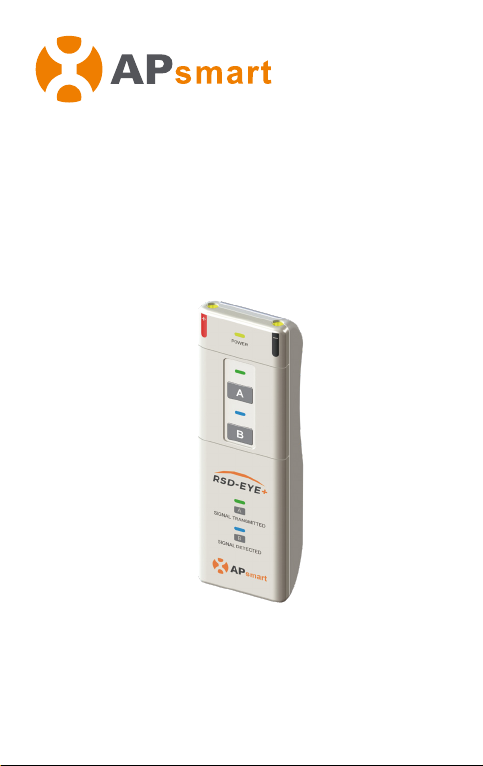
Operation Manual
Smart Signal Detector
RSD-EYE+
@ALL Rights Reserved

Introduction
The RSD-EYE+ is a small and lightweight multifunctional
handheld detection device for sensing pulse modulation from
the power line communication (PLC) signal between transmit-
ter and RSD, to ensure compliance to the SunSpec Alliance
Rapid Shutdown protocol. In addition, the RSD-EYE+ can also
be used as a handheld transmit device, by connecting an
optional external DC cable to send an in-line keep-alive signal
to the RSD.
Product Structure
Power LED
Transmit LED
Transmit Button
Detected LED
Detected Button
Sensor Area
9V Battery
The RSD output
powerline needs to
be as parallel as
possible to the DC
cable line in the
sensing area
within 2cm for best
performance
Not supplied
+ -
Please confirm
the positive and
negative poles
of the battery
when installing it.
Red Cable Positive
Connection
Black Cable Negative
Connection
DC
CABLE
SCANNING POSITION
1Version:1.5

System Diagram
① RSD
②RSD-EYE+
③Transmitter-PLC
④Inverter
①
②
③④
smart
- +
- +
- +- +
- +
- +
- +
- +
- +
- +
- +
- +
- +
…
…
…
2
Version:1.5
42.00
136.00
26.00
Technical Data
Input operating Voltage: 9Vdc
Input operating Current: 0.1A
Operating Ambient Temperature
Rang: -40℃~+60℃
Enclosure Rating: IP20
Dimensions (W x H x D):
136mmx42mmx26mm
Weight: 240g

RSD-EYE+ DetectMode
After all RSD units in the PV system have been installed and
the RSS transmitter is connected and powered on, the RSD
output powerline needs to be as parallel as possible to the DC
cable line in the sensing area within 2cm for best performance.
Testing each RSD with the RSD-EYE+ to confirm the presence
of a keep-alive signal. During the detection, the Detect Mode
button B should be held for more than 3 seconds. When the
keep-alive signal is detected, the detect mode LED will be lit
blue and an audible alert will sound to confirm. This will hold
about 7 seconds even if RSD-EYE+ leaves the detecting area,
so during a new test, wait for the indicator to disappear or
press the key again.
3
Version:1.5

RSD-EYE+ TransmitMode
Confirm the RSD input cables are connected to the PV module
output cables, and its output cables are connected to the
external cable from the RSD-EYE+ properly. During the
detection process, the transmit mode button A should be
pressed for at least 2 seconds. RSD-EYE+ indicates four
detection states by transmit mode with LED (green light) and
buzzer as follows:
The green LED is on with continuous sound:RSD works normally
The green LED is o without sound:RSD has not started properly
The green LED is o with interval sound:RSD rapid shutdown function
abnormal
The green LED is flashing with interval sound:Input overvoltage alarm of
RSD-EYE+
Waring: Please only connect one RSD for testing.
Red CableBlack Cable
OUTPUT- OUTPUT+
4Version:1.5

600 Ericksen Ave NE, Suite 200 Seattle, WA 98110
TEL:+1-737-218-8486/+1-866-374-8538
EMAIL:[email protected]
APsmartGlobal.com
Product information is subject to change without notice.
Tabla de contenidos
Otros manuales de Sensor de seguridad de APsmart


