
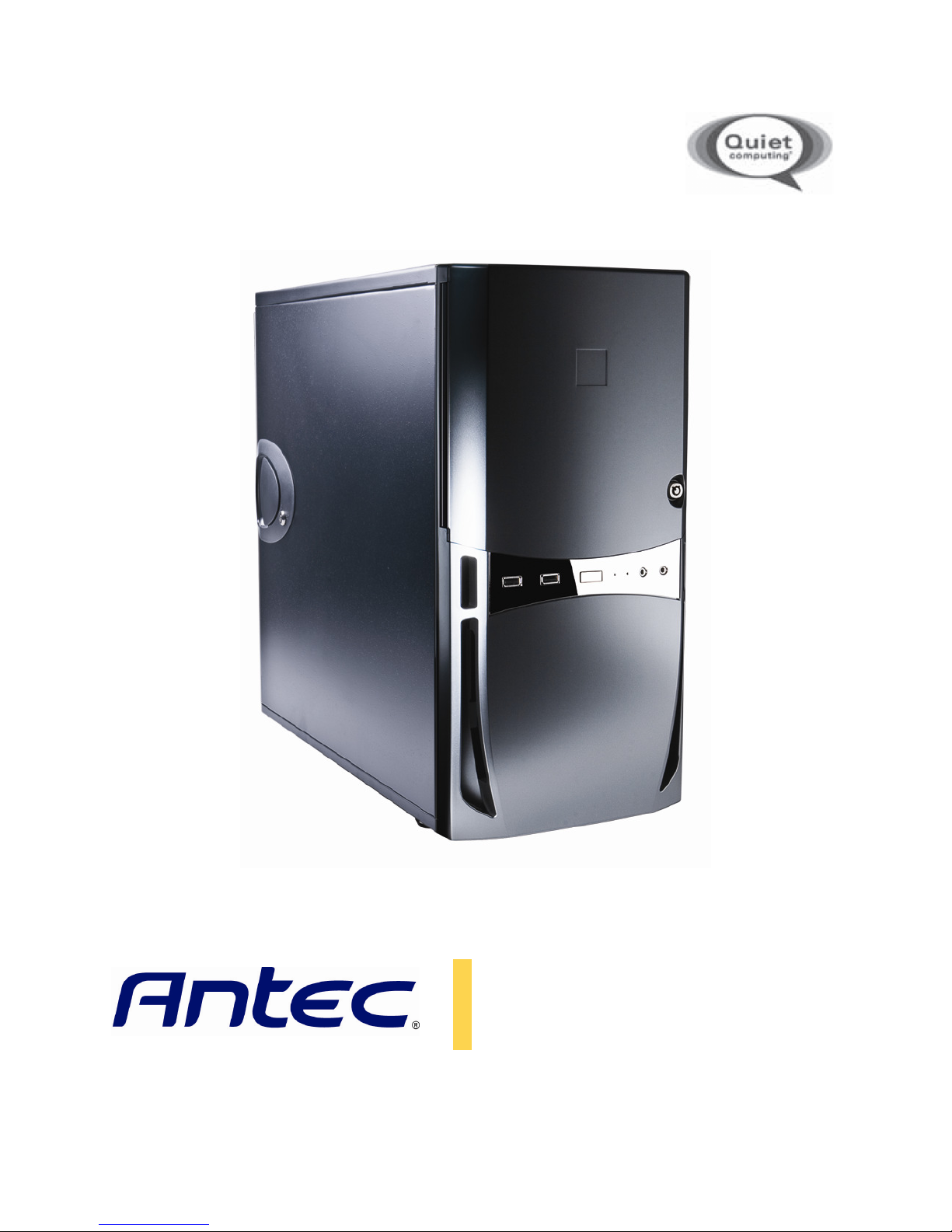
Antec Sonata Proto Manual de usuario
S
ONATA
P
ROTO
U
SER
’
S
M
ANUAL

P 1
T
ABLE OF
C
ONTENTS
S
ECTION
1:
I
NTRODUCTION
1.1 Getting to Know Your Ca e……………………………………………………………………………………………… 4
1.2 Ca e Specification …………………………………………………………………………………………………………. 6
1.3 Part Included………………………………………………………………………………………………………………… 6
1.4 Before You Begin……………………………………………………………………………………………………………… 7
1.5 Locating and Po itioning Your Computer………………………………………………………………………… 8
S
ECTION
2:
I
NSTALLING
H
ARDWARE
2.1 Removing the Side Panel………………………………………………………………………………………………… 10
2.2 Cable Management………………………………………………………………………………………………………… 11
2.3 Motherboard In tallation……………………………………………………………………………………………….. 11
2.4 Internal 3.5” Drive Bay Device In tallation ….…………………………………………………………………. 12
2.5 External 3.5” Drive Bay Device In tallation …………………………………………………………………….. 13
2.6 External 5.25” Drive Bay Device In tallation …………………………………………………………………… 13
S
ECTION
3:
C
ONNECTING THE
F
RONT
I/O
P
ORTS
3.1 USB 2.0 Port ………………………………………………………………………………………………………………….. 15
3.2 AC’97 / HD Audio Port …………………………………………………………………………………………………… 15
3.3 Rewiring Motherboard Header Connection …………………………………………………………………… 16
S
ECTION
4:
C
OOLING
S
YSTEM
4.1 TriCool™ Fan……………………………………………………………………………………………………………………. 18
4.2 Optional Fan ………………………………………………………………………………………………………………….. 18
4.3 Wa hable Air Filter ………………………………………………………………………………………………………… 19
S
ECTION
5:
F
REQUENTLY
A
SKED
Q
UESTIONS
………………………………………………………………………………………… 21

P 2
S
ONATA
P
ROTO
U
SER
’
S
M
ANUAL
Congratulation on your purcha e of the Antec Sonata Proto!
Your Sonata Proto i de igned to be a quiet, ea y to u e ca e that will upport a full-featured Quiet
Computing™ build. Ju t like the original international be t- eller the Sonata, the Sonata Proto feature
multi-layer ide panel , ilicone drive-in ulation grommet and a quiet-optimized interior airflow de ign
that will provide year of mooth, ilent, problem-free computing. New for the Sonata Proto, a wa hable
air filter and ide air vent improve cooling potential over the original Sonata and provide cooling airflow
to front hard drive .
At Antec, we continually refine and improve our product to en ure the highe t quality. It’ po ible that
your new ca e will differ lightly from the de cription in thi manual. Thi i n’t a problem; it imply
indicate an area where we’ve improved the de ign. A of the date of publication, all feature ,
de cription , and illu tration in thi manual are correct.
Grab your ca e and component … let’ get building!
Dis laimer
Thi manual i intended only a a guide for Antec’ computer enclo ure . For more comprehen ive
in truction on in talling the motherboard and peripheral , plea e refer to the u er’ manual that come
with tho e component .

P 3
S
ECTION
1
I
NTRODUCTION

P 4
1.1
G
ETTING
T
O
K
NOW
Y
OUR
C
ASE
1. 120mm rear TwoCool™ fan
Po itioned at the rear of your ca e. Draw warm air through the interior of the ca e and out the
back. See Section 4.1 for more detail.
2. 120mm front fan mount
A fan mounting location i provided for mounting fan up to 120mm in ize. See Section 4.2 for more
detail.
3. Wa hable air filter
Thi filter out du t from the air entering your computer ca e. For removal and wa hing in truction ,
ee Section 4.3.
4. Motherboard tandoff
Motherboard tandoff are included with your ca e. The e will match up with the tandard
mounting hole in Mini-ATX, MicroATX and ATX motherboard only.
5. Cable routing compartment
Thi area i provided for you to tuck away unneeded connector and cable .
6. Power upply mount
Thi ecure your power upply to your ca e. The Sonata Proto come without a power upply.
7. 5.25” drive bay
The e bay allow the in tallation of optical drive a well a acce orie like front panel audio
control , card reader de igned to fit into a 5.25” bay.
8. Front I/O panel
Contain AC’97/HDA-compatible 3.5mm audio, USB 2.0 and eSATA port .
9. External 3.5” drive bay
The e bay allow external in tallation of 3.5” bay-compatible torage acce orie .
10. Internal 3.5” drive bay
The e bay allow in tallation of 3.5” bay-compatible torage acce orie .

P 5
9
2
1
7
3
5
6
8
10
4
2
1
7
3
5
6
10
4

P 6
1.2
C
ASE
S
PECIFICATIONS
Ca e Type
Mid Tower
Color
Piano Black
Dimen ion
19.5 " (H) x 10.5" (W) x 21.5" (D)
495mm (H) x 266.7mm (W) x 495mm (D)
Weight
9.1kg / 20.2 lb
Cooling
1 x Rear 120mm TriCool™ LED fan
1 x Front 120mm fan mount (optional)
Drive Bay
10 Drive Bay :
-3 x External 5.25” drive bay
-2 x Internal 3.5” drive bay
-4 x Internal 3.5” drive bay
Expan ion Slot 7
Motherboard Size
Mini-ITX, microATX, Standard ATX
Front I/O Panel
2 x USB 2.0
External eSATA
AC’97 / HD Audio In and Out
1.3
P
ARTS
I
NCLUDED
In addition to the acce orie tored in ide your computer, your box hould al o contain the following:
Illu tration No. Part Qty
1 Front panel key 1
2 5.25” drive bay thumb crew 16
3 HDD mounting crew 15
4 Fan crew 4
5 Motherboard tandoff 9
6 Drive tray crew 15
7 Motherboard crew 13
8 Optical drive crew 18
9 Ca e decal 1
1
2
3
4
5
6
7
8
9

P 7
1.4
B
EFORE
Y
OU
B
EGIN
In order to en ure that your building experience with the Sonata Proto will be a po itive one, plea e take
note of the following:
•While working in ide your Sonata Proto, keep your ca e on a flat, table urface. Keep a clean,
well-lit, du t-free environment for building your computer.
•Antec ca e feature rounded edge that minimize the occurrence of hand injurie . Nonethele ,
exerci e caution and control when handling ca e interior .
•Although care ha been taken to prevent harp edge in your Antec ca e, we trongly
recommend taking the appropriate time and care when working in ide the ca e. Avoid hurried
or carele motion . Plea e u e rea onable precaution.
•Handle component and card with care. Do not touch the component or contact on a card.
Hold a card by it edge . Hold a component uch a a proce or by it edge , never by it pin .
•To avoid electro tatic di charge, ground your elf periodically by touching an unpainted metal
urface ( uch a a connector or crew on the back of thi computer) or u ing a wri t grounding
trap.
•Before you connect a cable, en ure that both connector are correctly aligned and oriented.
Bent pin can be difficult to fix and may require replacement of the entire connector.
•Thi manual i not de igned to cover CPU, RAM, or expan ion card in tallation. Plea e con ult
the motherboard manual for pecific mounting in truction and trouble hooting. Before
proceeding, check the manual for your CPU cooler to find out if there are tep you mu t take
before in talling the motherboard.
•Do not it on your ca e. Although it i con tructed of heavy-duty teel and internally reinforced,
it i not de igned to upport the weight of an adult, and may buckle.
•Remember to u e the right tool for each ta k. Do not u e improvi ed crewdriver like coin ,
nail or knife blade a they may re ult in damage to crew thread or even injury. Do not u e
your fingernail to eparate edge or lift the ide of the ca e, a paint chipping or injury may
occur.
•La tly… have fun!
TIP: In order to increa e the preci ion of your hand , you may find it helpful to brace your elbow
again t your abdomen and move the component in a direction parallel to the front of your
body, u ing a many mu cle a po ible. Breathe in a relaxed, controlled fa hion.

P 8
1.5
L
OCATING
A
ND
P
OSITIONING
Y
OUR
C
OMPUTER
Your Antec Sonata Proto ha a backward -facing exhau t fan and one ide-mounted front air intake .
For optimum performance, we recommend leaving the front air intake unob tructed.
The Sonata Proto can operate re ting ideway a well a vertically. Do not re t the Sonata Proto up ide
down (with the ca e feet up in the air), a thi will impede operation of optical drive .

P 9
S
ECTION
2
H
ARDWARE
I
NSTALLATION
Tabla de contenidos
Otros manuales de De oficina de Antec

Antec
Antec ISK 110 VESA Manual de usuario

Antec
Antec OVERTURE Manual de usuario

Antec
Antec Sonata Elite Manual de usuario

Antec
Antec ISK 310-150 Manual de usuario

Antec
Antec MINUET II Manual de usuario

Antec
Antec SX800II Series Manual de usuario
Antec
Antec P280 Manual de usuario

Antec
Antec SLK3700-BQE Manual de usuario

Antec
Antec ISK 310-150 Manual de usuario

Antec
Antec GX300 Manual de usuario


