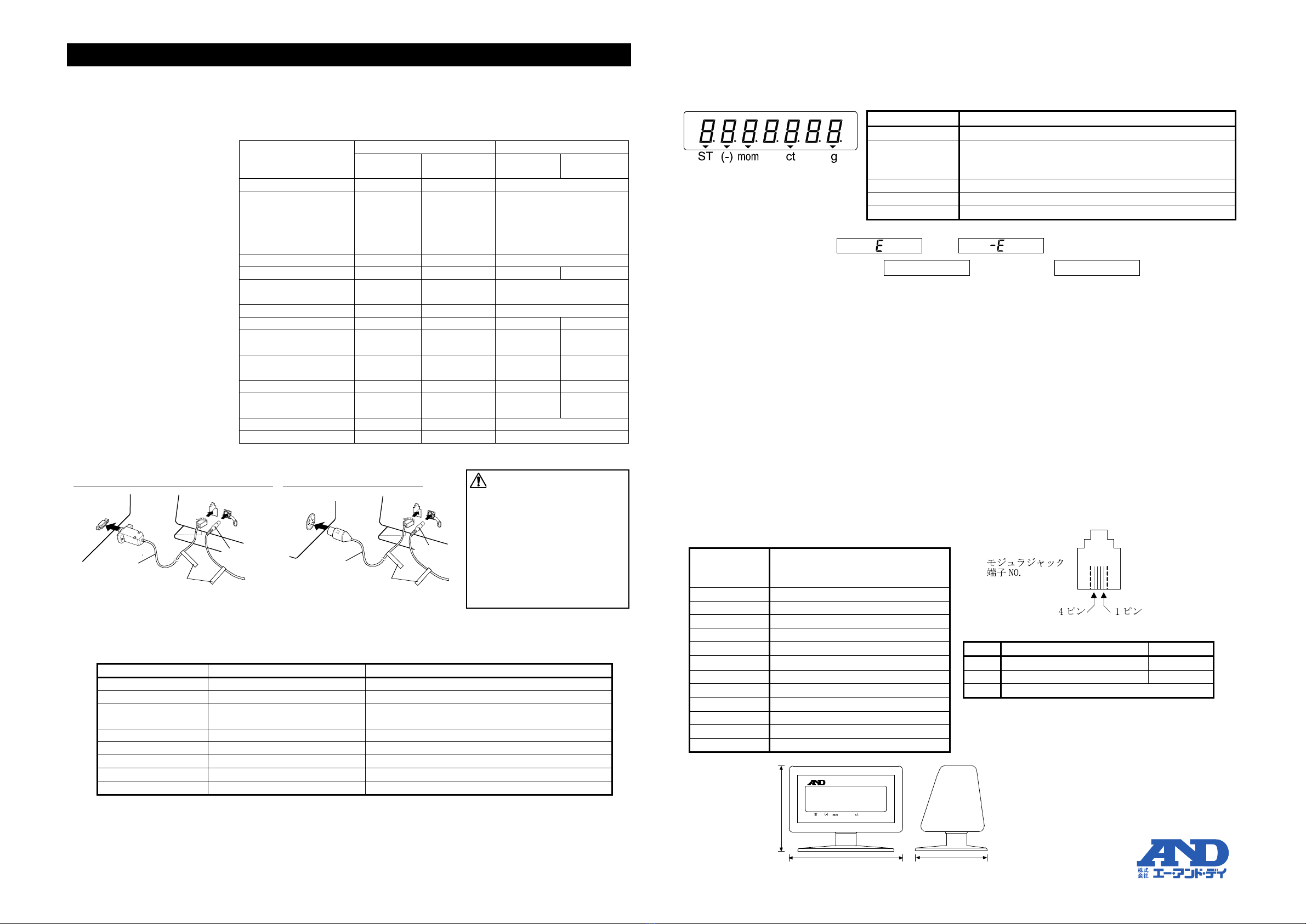
P-3/4 P-4/4
AD-8920A REMOTE DISPLAY INSTRUCTION MANUAL
(日本語の取扱説明書は反対面をご覧ください。)
1WMPD4001803C
1. Introduction
The AD-8920A is a remote display for displaying the weighing data transmitted by an A&D
manufactured weighing instrument, using either RS-232C or current loop. Applicable weighing
instruments (electronic balances/platform scales) are listed below.
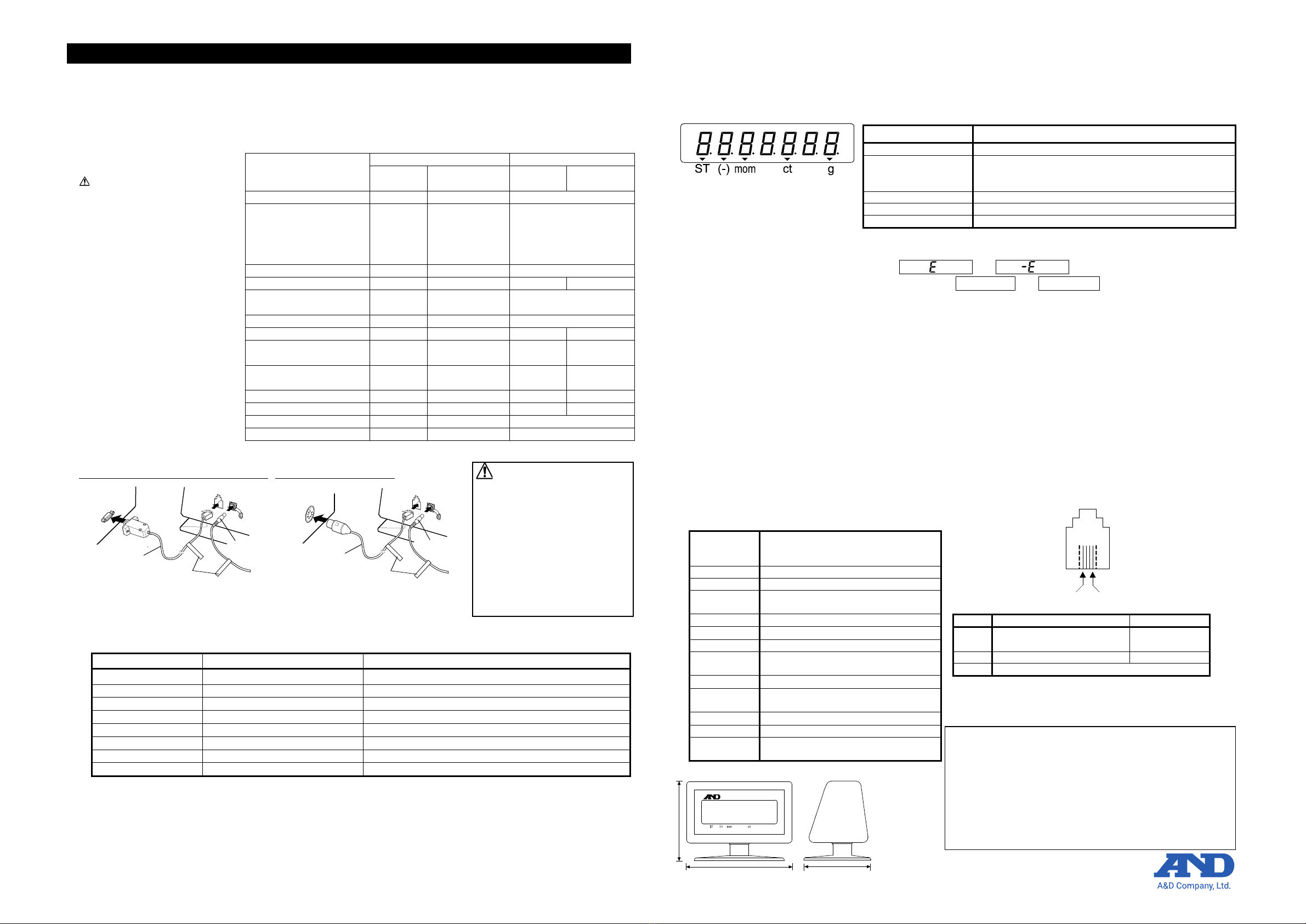
Table 1 Applicable instruments, required options and cables (As of September 2018)
Weighing instrument
BM, EK-i, EW-i, EK-L, FC-i,
FX-i, FX-CT, FX-GD, FXi-W P,
FZ-i, FZ-CT, FZi-W P, FZi-R,
FZi-WPR, GX-A, GF-A,
GX-M, GF-M, GH, HR-i,
None D-SUB9 cable Not applicable
DIN cable Not applicable
D-SUB9 cable OP-08 DIN cable
GX, GX-R, GF, GX-K, GX-KR,
GF-K, GP, GP-R, MC
None D-SUB25 cable
DIN cable
HV-G, HW-G, HV-W P, H W -WP
Connection diagram
2. Preparation
2-1. Setting the weighing instrument
(1) Set the data output mode to “Stream mode”.
(2) For the other settings, refer to Table 2.
Table 2 List of instrument settings
Outputs the weighing data continuously.
600, 1200, 2400, 4800, 9600 bps
AD-8920A recognizes the baud rate automatically.
7 bits-even, 7 bits-odd, or 8
AD-8920A functions correctly with any one of those listed.
AD-8920A functions correctly with either one.
AD-8920A functions correctly with either one.
AD-8920A recognizes the output mode automatically.
Note) The available items depend on the weighing instrument and may not be available when the settings are fixed.
For a detailed description of the settings, refer to the instruction manual for the weighing instrument used.
2-2. Connecting the AD-8920A
(1) Refer to Table 1 shown above to confirm that the communication cable is of the correct type.
(2) Disconnect the AC adapter from both the weighing instrument and the AD-8920A.
Refer to the connection diagram shown above to connect the AD-8920A to the weighing
instrument, using the specified communication cable.
3. Display
3-1. Confirm that the AC adapter is of the correct type. Connect the AC adapter each to the weighing
instrument and the AD-8920A to turn the power on.
All of the display segments of the AD-8920A illuminate, and then the weighing data transmitted
from the weighing instrument appears. The status of the data is indicated by a triangle (▼).
Table 3 Symbol (▼) and data status
Position of symbol (▼)
Status of weighing data
The weighing data is stable.
The weighing data is negative.
Usually the minus sign is placed before a numeric value,
but for a 7-digit negative value, the symbol (
▼
The weighing unit is momme.
The weighing unit is carat.
The weighing unit is gram.
Note: The unit indicating ▼does not illuminate for weighing units other than
those described above.
3-2. If the weighing data is overloaded, or appears.
3-3. If the data receiving procedure is interrupted, ------- or (blank) appears.
3-4. If the power is turned on without a weighing instrument connected, all of the display segments will
remain illuminated.
4. Maintenance / Troubleshooting
4-1. Cleaning
For cleaning, wipe the AD-8920A with a soft cloth. Do not use solvents such as thinner.
4-2. If the display brightness is not even:
Turn the AD-8920A on without the weighing instrument connected. All of the display segments will
illuminate. Leave the AD-8920A this way for a few hours.
4-3. If the AD-8920A does not function properly: (Before asking for repair, check the following.)
・Is the AC adapter type correct?
・Is the cable connected firmly?
・Are the weighing instrument settings correct?
(Particularly, has the data output mode been set to stream mode, and the data format to A&D
standard format?)
・Is data other than the weighing data, such as time or ID number, being output?
5. Specifications
Power
consumption
Approx. 30VA supplied by the AC
adapter (Approx. 8VDC, at approx.
0.2ADC supplied to the AD-8920A)
7-digit VFD, Character height 13mm
RS-232C / Current loop (ACTIVE)
600, 1200, 2400, 4800, 9600 bps
(Automatic recognition)
7 bits-even, 7 bits-odd, 8 bits-none
RXD (Connects to the TXD output
of the weighing instrument)
(when baud rate is 4800 bps or greater) *1
0 ºC to 40 ºC (32 ºF to 104 ºF),
85 %RH or less (No condensation)
6. External dimensions
Pin 4 Pin 1
Modular jack
terminal No.
The D-SUB9 cable (standard or
accessory) is for use only with
the AD-8920A.
If used with an older AD-8920,
it could blow the fuse or cause
other damage to the weighing
instrument.
Attach the identification label
on the cable so that it will be
used only with the AD-8920A.
102
128 76
Unit:mm
g
AD-8920AREMOTE DISPLAY
What the package contains
・
・
CAUTION
Please confirm that the AC adapter
type is correct for your local voltage
and receptacle type.
(one each for AC adapter and cable)
* A D-SUB25 cable and a D-SUB9
cable are included u
cable is specified when ordering.
In that case, on
ly a single DIN
cable is included.
Accessories
(s
old separately)
・Communication cable
(approx. 5 m)
・Communication cable
(approx. 10 m)
Weighing
instrument
AC adapter
AD-8920A main unit
When D-SUB9/D-SUB25 cable is used
AD8920A
AD8920A
Communication
cable
Identification
labels
Weighing
instrument
AD-8920A main unit
AC adapter
WhenDIN cable isused
AD8920A
AD8920A
Communication
cable
Identification
labels
*1 With the condition that the weighing instrument
transmits data 20 times per second.
*2 A special cable of approx. 5 m or 10 m is available.
*3 AC adapter and communication cable are not included.
Compliance with FCC rules
Please note that this equipment generates, uses and can radiate radio
frequency energy. This equipment has been tested and has been
found
to comply with the limits of a Class A computing device pursuant to
Subpart J of Part 15 of FCC rules. These rules are
designed to provide
reasonable protection against interference when equipment is operated
in a commercial environment. If this uni
t is operated in a residential area,
it may cause some interference and under these circumstances the user
would be required
to take, at his own expense, whatever measures are
necessary to eliminate the interference.
(FCC = Federal Communications
Commission in the U.S.A.)