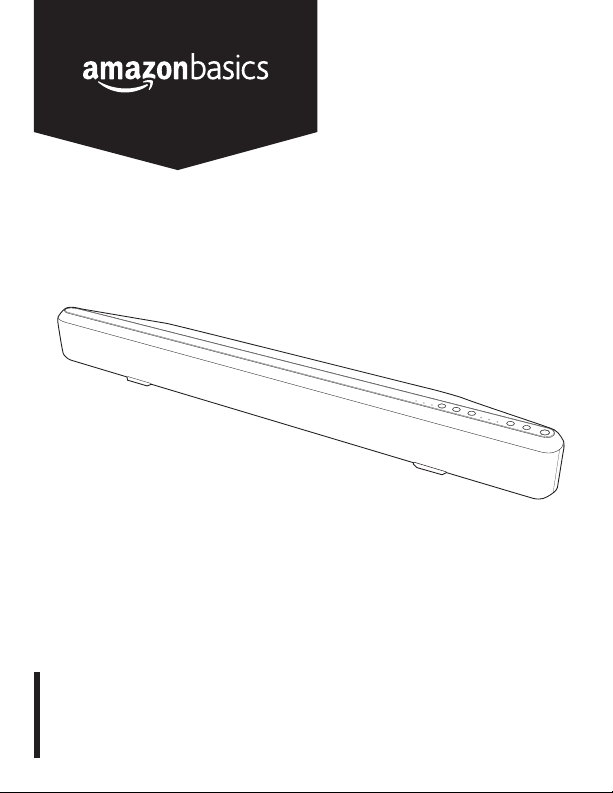
AmazonBasics B01JFER19Y Manual de usuario

B01JFER19Y
Bluetooth Sound Bar with Built-In Subwoofer
Barra de Sonido Bluetooth con Subwoofer Incorporado
Barre Audio Bluetooth avec Caisson de Basse Intégré

English ..................................... 3
Español .................................. 21
Français ................................. 39

3
Welcome Guide •English
Contents:
Before getting started, ensure the package contains the following components:
A
Bluetooth Sound Bar
with Built-in Subwoofer
(SB210)
x1
BRemote Control with two
AAA batteries x1
CAC power adapter and
cord x1
DAUX 3.5 mm audio cable x1
ERCA audio cable x1
FOptical audio cable x1
GWall mount brackets and
screws - 3.5" (15 mm) x2 each
HWall mount template x2

4
Diagram
Sound Bar
Bluetooth indicator
(Front view of sound bar)
(Top view of sound bar)
Standard indicator
DSP sound mode
button
Volume down
button
News indicator
Movie indicator
Bluetooth button
Audio source
button
RCA indicator
AUX indicator
Volume up
button
Power button
OPT indicator

5
Diagram
Sound Bar
OPTICAL IN RCA IN AUX IN
L R
(Back view of sound bar)
Threaded inserts for
mounting screws
OPTICAL IN audio port
RCA IN L/R port
AUX IN port
DC IN port

6
Important Safety Instructions
• Read these instructions and follow all safety instructions.
• Keep these instructions.
• Heed all warnings.
• Clean only with dry cloth.
• Do not block any ventilation openings. Install in accordance with the manufacturer’s
instructions.
• Protect the power cord from being walked on or pinched particularly at plugs, convenience
receptacles, and the point where they exit from the apparatus.
• Before connecting the appliance to the main power supply, check that the power supply voltage
and current rating corresponds with the power supply details shown on the appliance rating label.
• Never use an appliance that is damaged! Disconnect the appliance from the power supply and
contact your supplier if it is damaged.
• Danger of electric shock! Refer all servicing to qualified service personnel. Servicing is
required when the apparatus has been damaged in any way, such as power-supply cord
or plug is damaged, liquid has been spilled or objects have fallen into the apparatus, the
apparatus has been exposed to rain or moisture, does not operate normally, or has been
dropped.
• Warning! Do not use this apparatus near water. Do not operate the appliance with wet hands
or while standing on a wet floor.
• Do not open the appliance casing under any circumstances. Do not insert any foreign objects
into the inside of the casing.
• Only use attachments/accessories specified by the manufacturer. They could pose a safety risk
to the user and might damage the appliance. You must therefore use original accessories only.
• The appliance is only suitable for use at moderate latitudes. Do not use the appliance in tropical
areas or in particularly humid climates.
• Do not install near any heat sources such as radiators, heat registers, stoves, or other devices
(including amplifiers) that produce heat. Always operate the appliance on a clean, dry, level and
stable surface. Protect the appliance against heat and cold, dust, direct sunlight, moisture,
dripping and splashing water.
• This appliance is not intended for use by people (including children) with reduced physical,
sensory, or mental capabilities, or by those who lack experience and knowledge, unless they
have been given supervision and instruction concerning the use of the appliance by a person
responsible for their safety.
• Children should be supervised to ensure that they do not play with the appliance.

7
• This appliance is classified as protection class I and shall be connected to a MAINS socket outlet
with a protective earthing connection.
• Regularly check the power plug and power cord for damage. If the supply cord is damaged, the
adapter cannot be used and needs to be replaced.
• Avoid damage to the power cord. Do not crush, squeeze, bend, or scour on sharp edges.
Keep the power cord away from hot surfaces and naked flames.
• Do not defeat the safety purposes of the polarized or grounding-type plug. Polarized blades
with one blade wider than the other. A grounding type plug has two blades and a third
grounding prong. The wide blade or the third prong is provided for your safety. If the provided
plug does not fit into your outlet, consult an electrician for replacement of the obsolete outlet.
• Lay the cables in such a way that nobody can inadvertently pull them or trip over them.
• Do not pull the plug out of the socket by the power cord, and do not wrap the power cord
around the appliance.
• If an extension cord is used, its capacity needs to be suitable for the power consumed by the
appliance.
•
Connect the power adapter to an easily reachable electrical outlet so that the appliance can be
unplugged immediately in case of an emergency. Pull the power adapter out of the electrical
outlet to completely switch off the appliance. Use the power adapter as the disconnection device.
• Disconnect the power adapter from the electrical outlet when not in use and before cleaning.
• Unplug this product during lightning storms or when unused for long periods of time.
• Always switch the appliance off before disconnecting the power adapter.
• Only use this product with the supplied power adapter.
• Attention! In the event of a malfunction as a result of electrostatic discharge and momentary
electrical surges, unplug the appliance and plug it in again.
•
Make sure that no electrical wires, water, gas or other lines are located around the installation location.
• Ensure that there is sufficient ventilation. Keep a minimum distance of 4 inches (10 cm) between
the appliance and other objects or walls.
This symbol indicates the compliance with Canadian and USA safety requirements.
For indoor use only.
This symbol indicates the compliance with energy efficiency requirements.

8
Battery Safety Instructions
• Do not expose batteries to extreme temperatures, such as, direct sunlight or fire.
• Do not place the remote control on any heat source. Leaking battery acid may cause harm.
• Always insert batteries correctly with regard to the polarities (+ and –) marked on the battery
and the battery compartment.
• Caution! Danger of explosion if batteries are incorrectly replaced.
• Replace batteries only with batteries of the same or equivalent type.
• If batteries should leak, remove them from the battery compartment with a cloth.
• Dispose of batteries according to the regulations. If battery acid has leaked, avoid contact with
skin, eyes and mucous membranes. Rinse affected areas immediately after contact with the
acid and wash with plenty of clean water. Visit a physician.
• Do not allow children to replace batteries without adult supervision.
• Batteries should be stored in well-ventilated, dry and cool conditions.
• Remove the batteries if you will not be using the appliance for an extended period of time.
• Danger of explosion! Battery may not be disassembled, thrown into fire, or short-circuited.
General Information
Intended Use
• The sound bar serves as an audio output device with wireless or with wired input connections.
• Read all instructions carefully before beginning set up and installation.
Packaging
• Check for the presence of all parts and for transport damage. In case of damage or incomplete
delivery, please contact your dealer.
• Keep all packaging. The sound bar can be stored in packaging if not used for an extended
period of time.

9
Setup Instructions
Remote Control
• Slide the battery compartment cover to open.
• Insert two 1.5 V AAA batteries according to the polarity markings in the battery compartment.
• Close the battery compartment cover.
• Point the remote control directly at the IR sensor on the front of the sound bar at a distance less
than 23 feet (7 m).
CAUTION
• Always insert the batteries according to the correct polarity
markings.
• Use only new batteries of the same brand and quality, or else
leakage may result and cause damage.
• Remove the batteries from the remote control when not in
use for an extended period of time. The remote control could
become damaged if battery leakage occurs.

10
Setup Instructions
Remote Control Command Guide
BUTTON COMMAND
POWER Press to turn on the sound bar. Press again to put the sound
bar in standby mode.
MUTE Press to mute and unmute.
VOLUME + Press to increase volume.
VOLUME — Press to decrease volume.
PREVIOUS Press to return to previous track.
PLAY/PAUSE Press to play or pause.
NEXT Press to move forward to next track.
STANDARD Press for standard Digital Signal Processing (DSP) sound
mode.
NEWS Press for news in DSP sound mode.
MOVIE Press for movies in DSP sound mode.
RCA Press for RCA audio source.
AUX Press for AUX audio source.
OPT Press for OPT audio source.
BLUETOOTH Press to enter Bluetooth input. (For forced pairing, press and
hold for 5 seconds.)
Tabla de contenidos
Otros manuales de Sistema de altavoces de AmazonBasics
Manuales populares de Sistema de altavoces de otras marcas

Sondpex
Sondpex Active Speaker System and Digital Music... Manual de usuario

JVC
JVC NX-PN7 Manual de usuario

Marshall Amplification
Marshall Amplification AR-DM61-BT Manual de usuario

Yamaha
Yamaha NX-A01 - Speaker Sys Manual de usuario

SE Audiotechnik
SE Audiotechnik I-LINE Manual de usuario

Gemini
Gemini WRX-843 Series Manual de usuario