
Alcor SENTINELplus Guía de instalación

ENTERAL FEEDING SYSTEMS FROM
User Training Packet
1

THIS PAGE INTENTIONALLY
LEFT BLANK

Table of Contents
Page 4
Page 5
Page 6
Page 7
Page 8
Page 9
Page 12
Page 13
Page 14
Page 15
Page 15
1. SENTINELplus® Advanced Technology..........................................
a. Features
b. Ordering Information
c. Specifications
2. SENTINELplus® Administration Sets.............................................
a. Features
b. Ordering Information
3. Front and Rear Housing Locations...............................................
4. Installing The Set.........................................................................
5. Priming The Set...........................................................................
6. Programming The Pump..............................................................
7. Alarms and Indicators..................................................................
8. Troubleshooting Guide................................................................
9. Proficiency Test...........................................................................
10.Frequently Asked Questions........................................................
11.Technical Support........................................................................
12.Quick Reference.......................................................................... Page 16
3

SENTINELplus® Advanced Technology
The SENTINELplus® Enteral Feeding Pump is an improved version of our popular
SENTINEL® product. The lighter, more compact design brings the same simplicity
and reliability of its predecessor.
DUAL DISPLAY
The bright LED display allows caregivers to simultaneously and
conveniently view the infusion rate and volume delivered from a distance.
ADVANCED MEMORY
The pump operating history is retained until manually erased, even in the
event of power failure or when pump is powered down.
DOSE CHECK
A record is kept of the accumulated amount of formula delivered over
multiple feedings.
SIMPLE ALARMS
Audible and visual alarms are easily differentiated.
CLOVER-SHAPED ROTOR
The unique clover-shaped rotor allows for easy visual recognition of pump
operation from a reasonable distance.
ORDER INFORMATION
SPECIFICATIONS
Mechanism
Operating Range
Dose Limit
Dose Accuracy
Occlusion Pressure
Battery
Dimensions
Weight
Power Options
Rotary Peristaltic
5-295 mL/hour in 1 mL increments
1-2000 mL in 1 mL increments
2000-9999 in 5 mL increments
± 10% of selected flow rate with ALCOR sets
Does not exceed 15 psi
Battery backup 6 hours minimum at 125 mL/hr
15cm H x 20cm W x 9cm D
1.42kg
All country-specific connectors available
Cat. Packaging
S-3000-IU 1 each
Description
SENTINELplus®, Enteral Feeding Pump
4
SENTINELplus® Administration Sets
The SENTINELplus® Enteral Administration Sets come in a variety of sizes and configurations
to meet both patient and clinical safety needs. ENFit® is available for those ready to make the
switch in an effort to reduce of the risk of tubing mis-connections and improve patient safety.
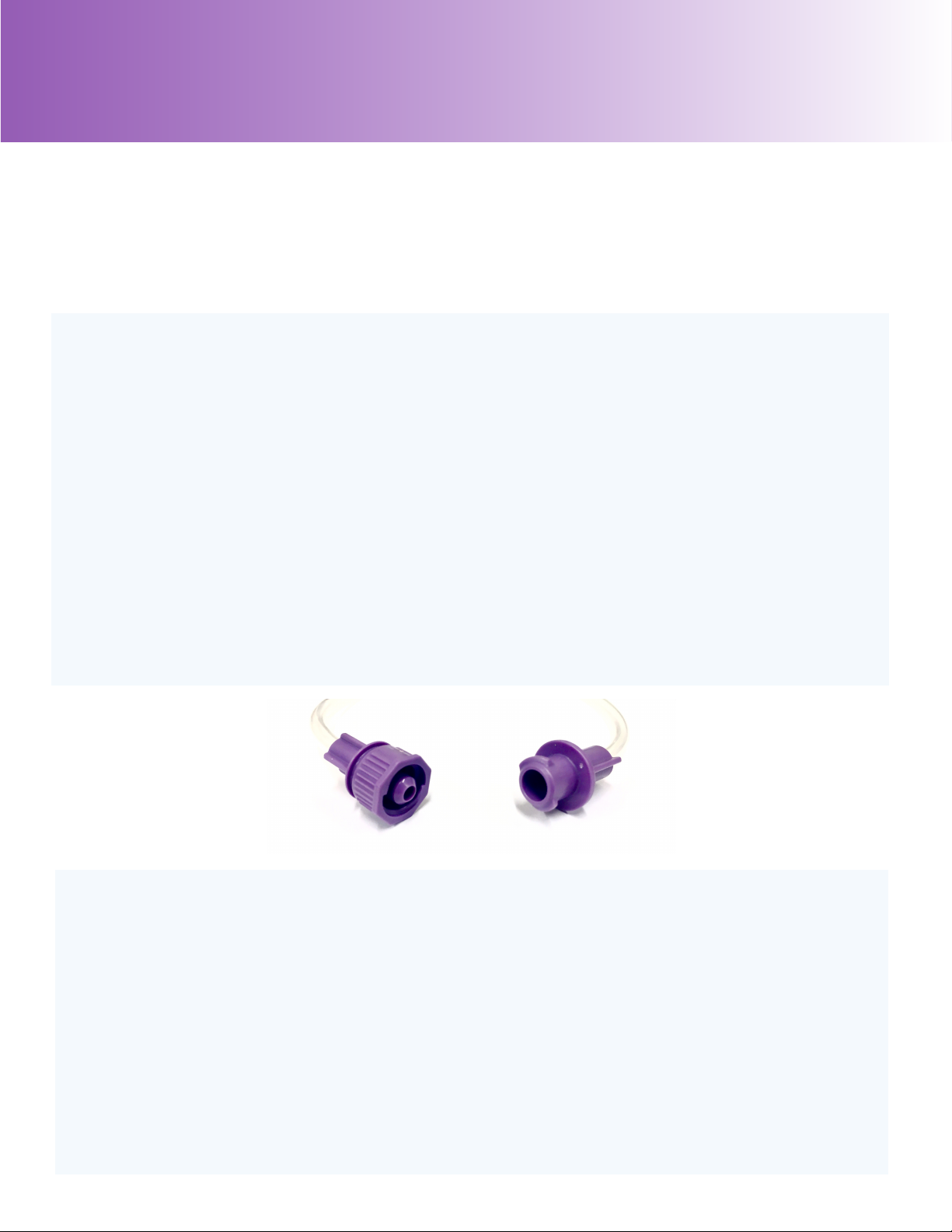
ENFit® CONNECTORS
ENFit® connections prevent the incidence of enteral device tubing mis-connections.
The locking feature permits connectivity with only enteral specific connectors.
PURPLE CAP AND DISTAL TIP
The purple pump set components allow visual recognition of enteral products.
EASY INSTALLATION
Enteral pumps sets are easily loaded onto the pump.
VARIOUS PRODUCTS
Different enteral feeding sets such as bag, gravity, and spike sets. Products range in size
and function to meet the varying needs of the patient or end-user.
24 HOUR SINGLE USE
Single use, 24 hour hang time validation for each product, provides consistent delivery
and reduces potential contamination.
ORDER INFORMATION
Cat. Packaging
E-0500SP 30 per case
E-1004SP 30 per case
E-1200SP 30 per case
30 per case
30 per case
30 per case
30 per case
E-1203SP
EN-0500SP
EN-1004SP
EN-1200SP
EN-1203SP 30 per case
*Sterile and DEHP free and avliable
Description
Enteral Feeding Pump Bag Set, 500ml, NS
Enteral Feeding Pump Spike Set, NS
Enteral Feeding Pump Bag Set, 1200ml, NS
Enteral Feeding Gravity Set, 1200ml, NS
Enteral Feeding Pump Bag Set, 500ml, ENFit®, NS
Enteral Feeding Pump Spike Set, ENFit®, NS
Enteral Feeding Pump Bag Set, 1200ml, ENFit®, NS
Enteral Feeding Gravity Set, 1200ml, ENFit®, NS
5

Displays
Control
Panel
Tube
Hook
Drip
Chamber
Bracket
Rotor
Carry
Handle
Pole
Clamp
DC Power
Input
Front and Rear Components
6
Molded
Secured
Drip Sensor

Priming The Set
•Open the package, remove administration set from pouch.
•Close roller clamp on set.
•Fill feeding container with desired formula.
•Close and secure cap around entire perimeter.
•Hang feeding container higher than patient's head.
•Insert drip chamber into enteral pump drip
chamber bracket.
•Open roller clamp and prime tubing line
with formula to end of distal tip.
•Close roller clamp to stop the flow of fluid.
7

Installing The Set
•Drip chamber should already be inserted
into drip chamber bracket.
•Route silicone tubing under pump rotor.
•Insert silicone tubing connector into seat
adapter.
•Insert tubing into molded tube hook.
•Connect the distal tip connector to enteral
feeding tube.
•Open roller clamp and program the pump.
8

•The infusion rate is retained in memory.
Note If UP or DOWN is pressed without stopping the pump, an alarm
will sound and the pump will continue running and there will be no change
in infusion rate.
SET INFUSION RATE
• Press UP or DOWN
SET DOSE LIMIT
•Press green ON button. Alarm sounds briefly and displays flash all 8's.
until desired infusion rate is displayed.
•To set dose limit, press SET , then press UP or DOWN until
desired dose is displayed.
Note If dose limit is not set (display = 0), the pump will run until container is
empty or pump is stopped.
•Open roller clamp, press RUN/STOP to begin feeding.
Programming The Pump
REFER TO OPERATION MANUAL FOR DETAILED INSTRUCTION
SEE ALSO DIRECTIONS FOR USE ON SIDE OF PUMP
TURNING PUMP ON
•To change infusion rate, press RUN/STOP to stop the pump.
•Press UP or DOWN
to make necessary adjustment.
•Press RUN/STOP to resume.
BEGIN FEEDING
CHANGING THE INFUSION RATE
9

•To view the total accumulated volume delivered, press DOSE CHECK
Note If pressed while running, the pump will stop momentarily.
VIEWING TOTAL ACCUMULATED VOLUME
simultaneously to change bright or dim.
and DOWN •To lock/unlock keypad, while pumping, press/hold UP
simultaneously.
ADJUSTING DISPLAY BRIGHTNESS
• Press/hold UP and SET
LOCKING/UNLOCKING KEYPAD
•To turn the pump off at any time, press red OFF button.
TURNING PUMP OFF
10
Tabla de contenidos
Manuales populares de Bomba de agua de otras marcas


Sykes AmeriPumps
Sykes AmeriPumps GP100M Guía de solución de problemas

DUROMAX
DUROMAX XP WX Series Manual de usuario

BRINKMANN PUMPS
BRINKMANN PUMPS SBF550 Manual de usuario

Franklin Electric
Franklin Electric IPS Manual de usuario

Xylem
Xylem e-1532 Series Manual de usuario

Milton Roy
Milton Roy PRIMEROYAL Manual de usuario