
Aerpro APH01 Manual de usuario
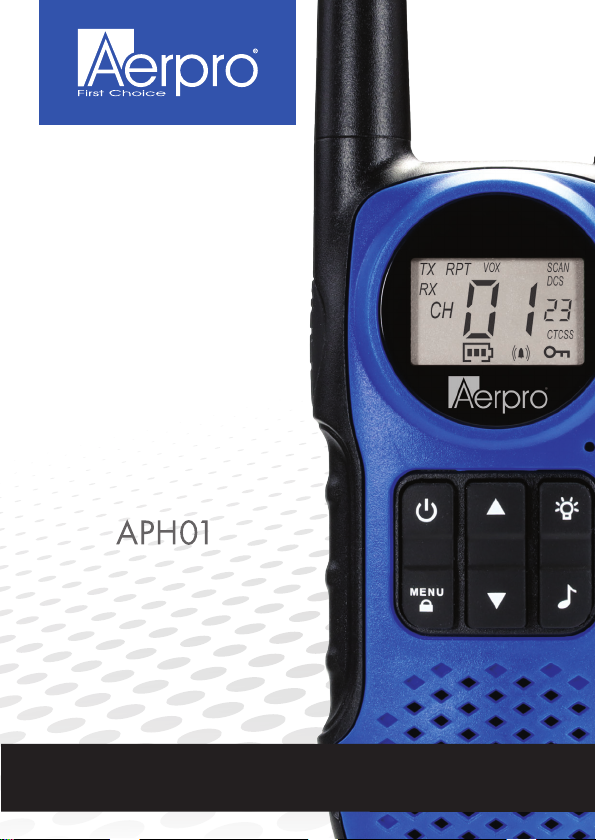
1W UHF CB
HANDHELD
RADIO
3 PACK
80 CHANNEL
UHF CB RADIO
aerpro.com
USER GUIDE

2
CONTENTS
WELCOME ...................................................................................... PAGE: 4
FEATURES...................................................................................... PAGE: 4
BOX CONTENTS........................................................................... PAGE: 4
TECHNICAL SPECIFICATIONS................................................. PAGE: 4
SAFETY INFORMATION AND WARNINGS.............................PAGE: 5
RADIO CONTROLS ...................................................................... PAGE: 7
LCD DISPLAY................................................................................. PAGE: 8
INSTALLING THE BATTERIES & BELT CLIP....................... PAGE: 8
RADIO OPERATIONS
- Power ON/OFF............................................................. PAGE: 9
- Volume control.............................................................. PAGE: 9
- Battery voltage display ................................................. PAGE: 9
- Receiving/Transmitting ................................................. PAGE: 9
CHANNEL OPERATIONS
- Changing channels...................................................... PAGE:10
- CTCSS/DCS................................................................ PAGE:10
- VOX............................................................................. PAGE:10
- Setting the call tones....................................................PAGE:11
- Key tone .......................................................................PAGE:11
- Roger beep...................................................................PAGE:11
- Repeater.......................................................................PAGE:11
- Scanning for an active channel ....................................PAGE:11
- Sending a call tone...................................................... PAGE:12
- Monitor ........................................................................ PAGE:12
- Backlit display.............................................................. PAGE:12
- Battery saving function................................................ PAGE:12
- Built-in flash light ......................................................... PAGE:12
- Lock & Unlock the device............................................ PAGE:12
- Resetting the device.................................................... PAGE:12

3
CONTENTS (continued)
FUNCTION
- CTCSS & DCS ............................................................ PAGE:13
- Button beep................................................................. PAGE:13
- Transmit & receive procedure ..................................... PAGE:14
- Transmitting range....................................................... PAGE:14
- Duplex repeater mode................................................. PAGE:15
- Selecting repeater ....................................................... PAGE:15
DUPLEX/REPEATER INFORMATION..................................... PAGE:16
UHF CB CHANNEL GUIDELINES............................................ PAGE:17
UHF CB CHANNELS AND FREQUENCIES
- UHF channel frequency table...................................... PAGE:18
- CTCSS tone table ....................................................... PAGE:19
- DCS code table ........................................................... PAGE:20
TROUBLE SHOOTING GUIDE ................................................. PAGE:22
TECHNICAL ASSISTANCE........................................................ PAGE:23

4
INTRODUCTION
WELCOME
Thank you for purchasing the Aerpro APH01 1 Watt UHF CB Radio Kit.
Please ensure that you have read the product manual and instructions in full, prior
to installation and use. Failure to do so may result in product failure/damage or
incorrect operation and therefore impact the product performance.
FEATURES
BOX CONTENTS
TECHNICAL SPECIFICATIONS
Frequency 476.425 - 477.4125 Mhz
Channel number 80 channels
Sub-code CTCSS 38 and DCS 61 sub-codes
Transmission Power 1 Watt
Battery Type 3 x AAA Batteries Each (Not Included)
•UHF CB Radio (x3)
•Belt Clip (x3)
•VOX voice activated transmission
•1 Watt transmission power
•80 Narrow-band channels
•Squelch control (automatic)
•CTCSS (38ch)/ DCS (61ch) codes
•Duplex range extender
•Channel scan function
•LED torch light
•10 call ring tones
•Roger beep
•Button beep
•Backlight display

5
INFORMATION ON SAFE OPERATION
Please read this information before installing or using your UHF radio.
The operation of your UHF radio in Australia is subject to conditions in the follow-
ing Licence: In Australia the ACMA Radio communications (Citizen Band Radio
Stations) and in New Zealand by MED the General User Radio Licence for Citizen
Band Radio.
SAFETY AND GENERAL USE WHILST IN A VEHICLE
Check the State and Federal laws and regulations regarding the use of two way
radios in the area where you drive, and always obey them.
FOR VEHICLES FITTED WITH AIRBAGS
When using the radio in a vehicle, do not place your radio in the area over an air-
bag, or in the airbag deployment area. Airbags inate with great force, if a radio is
placed in the airbag deployment area and the air bag inates, it may be propelled
with great force and cause serious injury to the occupants of the vehicle.
POTENTIALLY EXPLOSIVE ATMOSPHERES
Turn your radio OFF when in any area with a potentially explosive atmosphere.
Sparks in such areas could cause an explosion or re resulting in injury or even
death. NOTE: Areas with potentially explosive atmospheres are often, but not
always clearly marked. They include fueling areas such as below deck on boats;
fuel or chemical transfer or storage facilities; areas where the air contains chemi-
cals or particles, such as grain, dust, or metal powders; and any other area where
you would normally be advised to turn of your vehicle engine.
BLASTING CAPS AND AREAS
To avoid possible interference with blasting operations; turn your radio OFF near
electrical blasting caps, or in a “blasting area”, or in areas posted: “Turn off the two
way radio.” Obey all signs and instructions.
EXPOSURE TO RADIO FREQUENCY ENERGY
Your two-way radio complies with Australian Communications Authority Radio
Communications (Electromagnetic Radiation-Human Exposure) Standard, 2003.
To assure optimal radio performance and make sure human exposure to radio
frequency electromagnetic energy is within the guidelines set out in the above
standards always adhere to the following radio operating procedures.
RADIO OPERATION AND EME EXPOSURE
Unauthorised antennas, modications, or attachments could damage the radio
and violate compliance. DO NOT hold the antenna when the radio is “IN USE.”
Holding the antenna reduces the effective range. DO NOT use the radio if the
antenna is damaged. If a damaged antenna makes contact with a persons skin,
a minor burn may result.
SAFETY INFORMATION AND WARNINGS

6
ELECTROMAGNETIC INTERFERENCE/COMPATIBILITY
Nearly every electronic device is susceptible to electromagnetic interference (EMI).
To avoid the possibility of electromagnetic interference and/or compatibility conicts,
turn off the radio in any location where posted notices instruct you to do so such as
health care facilities.
SAFETY INFORMATION AND WARNINGS (continued)
AIRCRAFT
When instructed to do so, turn off your radio when on-board an aircraft. Any use of a
radio must be in accordance with applicable regulations per airline crew instructions.
MEDICAL DEVICES – PACEMAKERS
The Advanced Medical Technology Association recommends a minimum separation
of 15cm be maintained between a radio and pacemaker. These recommendations
are consistent with the independent research by, and recommendations of, the U.S.
Food and Drug Administration. People with pacemakers should:
•ALWAYS keep the radio more than 15cm away from the pacemaker when the radio
is powered on.
•NOT carry the radio in the breast pocket (handheld models).
•Use the ear opposite the pacemaker to minimise the potential for interference.
•Turn the radio OFF immediately there is any reason to suspect that interference is
taking place.
MEDICAL DEVICES – HEARING AIDS
Some radios may interfere with some hearing aids. In the event of such
interference, you may want to consult your hearing aid manufacturer to discuss
alternatives.
MEDICAL DEVICES – OTHER
If you use any other personal medical device, consult the manufacturer of your
device to determine if it is adequately shielded from RF energy. You physician may
be able to assist you in obtaining this information.
GENERAL WARNINGS
Some radios may interfere with some hearing aids. In the event of such
interference, you may want to consult your hearing aid manufacturer to discuss
alternatives.
BATTERIES
All batteries can cause property damage and/or bodily injury such as burns if
conductive material such as jewelery, keys, or beaded chains touch exposed
terminals. Do not replace or charge batteries in a potentially explosive atmosphere.

7
MENU
Down Button
(Monitor)
Light Button
Microphone
LCD Screen
LED Light
Speaker
PTT Button
(Talk)
Call Tone
Antenna
Power on/off
Button
Menu Button
(Key Lock)
Belt
Clip
Battery
Cover
Type C Input
Earpiece/Microphone
Input
Up Button
(Scan)
Light
RADIO CONTROLS
RADIO LAYOUT

8
RX
CH
TX RPT
VOX SCAN
VOX Indicator
Repeater
Transmitting
Receiving
Transmitting Channel
Channel Number
Battery Indicator
Scanning Channels
CTCSS code
Key Lock Feature
Tone Active
LCD DISPLAY
INSTALLING THE BATTERIES & BELT CLIP
Battery pack:
Each handheld CB radio requires 3 AAA batteries (not included). On the back of the
handheld CB radio, lift up the release tab on the battery cover and remove. Place
the 3 AAA batteries in the correct position as marked on the inside of the handheld
CB radio. Replace the battery cover and you are ready to go.
Belt clip:
Place the belt clip to the corresponding grooves on the back of the transceiver, and
then pull downwards. Press and hold release tab, then pull upwards to release.
LCD DISPLAY

9
POWER ON/OFF
To turn the APH01 on or off, press and hold the Power on/off button for 2 seconds
until you hear a beep sound.
RADIO OPERATIONS
VOLUME CONTROL
To increase the volume, press the Up ▲ button. And press the Down ▼ button to
decrease the volume.
BATTERY VOLTAGE DISPLAY
The APH01 can detect a low battery level when the battery voltage goes low.
When the battery voltage is low, the battery icon will ash on screen and a beep
sound will be heard to indicate that the batteries will need to be replaced.
RECEIVING / TRANSMITTING
The devices are in “Standby” mode when it is turned ON and not transmitting.
When a signal is received on the current channel, the LCD will display a receiving
icon in “reception” mode.
When you press the PTT (push to talk) button, the devices switches to
“Transmission” mode. Hold the device in a vertical position with the Mic
(microphone) 3-5cm away from your mouth. While holding the PTT button, speak
into the microphone in a normal tone of voice. Release the PTT button when you
have nished transmitting.
For others to receive your transmission, they must be on the same channel with
you.
NOTE: The talking range will depend on your surroundings and
environment. It will be affected by obstructions such as hills or buildings.
Don’t try to use two devices which are less than 1.5m (5 feet) apart.
Otherwise, you may experience interference.

10
CHANNEL OPERATIONS
CHANGING CHANNELS
Press the MENU button one time, the channel number will ash on the display.
Press the Up▲/Down▼ button to change the channel.
Press the PTT button to conrm and return to stand-by mode.
NOTE: If no button is pressed within 5 seconds during setting, the device will
return to stand-by mode.
CTCSS / DCS (Continuous Tone Coded Squelch System / Digitally
Coded Squelch)
Press the MENU button 2 times, the current CTCSS code will ash on the display.
Press the Up▲/Down▼ button to change the 38 available codes.
Press the PTT button to conrm and return to stand-by mode.
When operating on the 476.4250MHz to 477.4125 MHz License free radio
frequency band, the APH01 has 80 available radio channels. If there are many
device users near you, there is a chance that some of the users are operating on
the same radio channel.
When using CTCSS, a low frequency tone (between 67-250Hz) will be transmitted
along with the voice signal. CTCSS codes are 01 -> 38 , DCS codes are 39 -> 99.
Due to ltering, these sub-channels will generally not be audible so they will not
disturb the communication.
VOX (Hands free function)
Press the MENU button 3 times, the current VOX setting will ash on the display
and the VOX icon will display.
Press Up▲ button to set the VOX sensitivity level between 1 and 3 level (level 3 is
the high sensitive level).
Press Down▼ button until “OF” appears on the display to turn VOX OFF.
Press the PTT button to conrm and return to stand-by mode.
In VOX mode, the radio will transmit a signal when it is activated by your voice or
other sound around you.
VOX Operation is not recommended if you plan to use your device in a noisy or
windy environment.
NOTE: VOX mode will be overridden when you press the PTT button.
Tabla de contenidos
Otros manuales de Radio de Aerpro


