3.1.Initial Installation( set door camera to connect with smart phone)
初次操作
4
三.Operate explanation
1. According to the installation diagram and connection diagram install doorbell , connect
to power and lock .
2. Wait about one minutes , after speak “successfully start system , welcome to use “ ,
doorbell start successful can normal working .
3. Cellphone Configuration :
1.Install wifi door phone APP in cellphone . Press the doorbell button above 3 seconds ,
Doorbell enter in Configuration model , and give a notice “Network configuration
model now , set it down in 5mins’’.
2.Open cell phone wifi , connect to the hot spot named “BELL-00******”, Initial
password is 123456789,.After connecting successful , open wifi door phone app again ,
press “ Add doorbell” , then click search or shake cellphone ,when smart phone show
a ID number , Click the id number , then click “done” icon to finish.
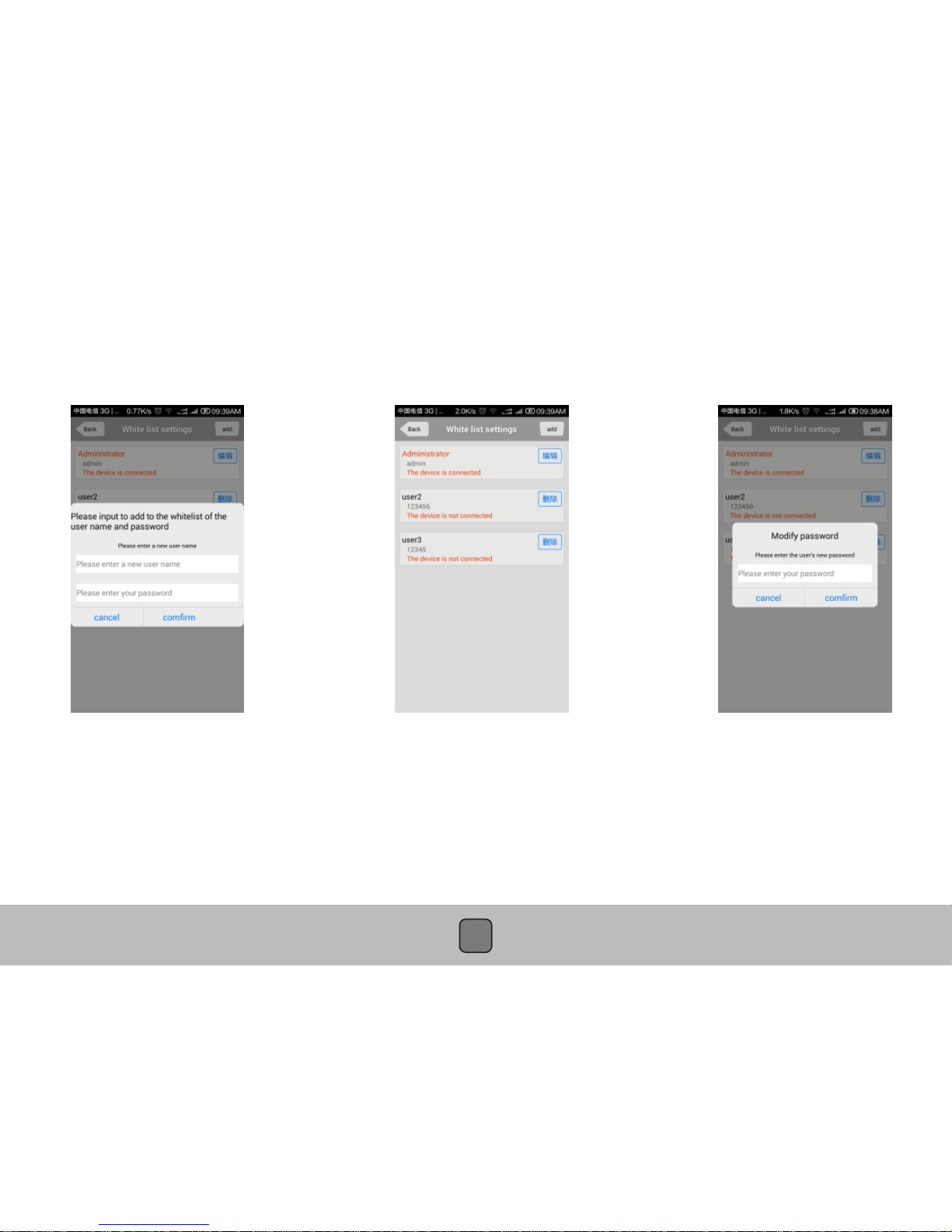
3. First connected cellphone Defaults to the administrator. If need to add cellphone user ,
set up at administrator cellphone phone .Enter into white list setting add user name and
password .
4. Network Configuration :
1. Enter into wifi settings , add home wifi ,click “done” to finish
2. Insert internet cable to LAN port directly ,wifi setting is no need
5. Change administrator password : administrator cellphone enter into white list settings ,
click “admin user “, put into password click “done”to finish .Notice :After set up
administrator password , need to delete doorbell and add again by new password . Or
cell phone will notice wrong password .
6. Each time connect to power, press the doorbell button above 10S , can restore factory settings .