AcroProtm Instruction Manual, Page 4
Align the fuselage side and doubler at the nose
When everything is perfectly aligned,
glue ovals first, then cutouts
Slide the jigs towards one another to
align the doubler with the fuselage
side from top to bottom
The fixture will hold the two
parts in perfect alignment
Last 1/2”
1/32” Down
Leftfuselageside
Gluing the fuselage doublers in place...
When you’re satisfied with the alignment of the fuselage side and
doubler, glue them together with thin CA glue. First, put a drop of
glue every 1/2” or so around the perimeter of the oval cutouts in the
doubler. Then, put a drop of glue every 1/2” or so around the rest of
the cutouts, but don’t get carried way with the glue. When you insert
the formers and other parts into these cutouts you’ll be gluing them
again so you don’t need to get crazy with the glue at this stage.
When you’re done, run a bead of glue around the edge of the
doubler where it meets the fuselage side. Do the same for the other
doubler and fuselage side andDON’T MAKE TWO LEFT SIDES!!!
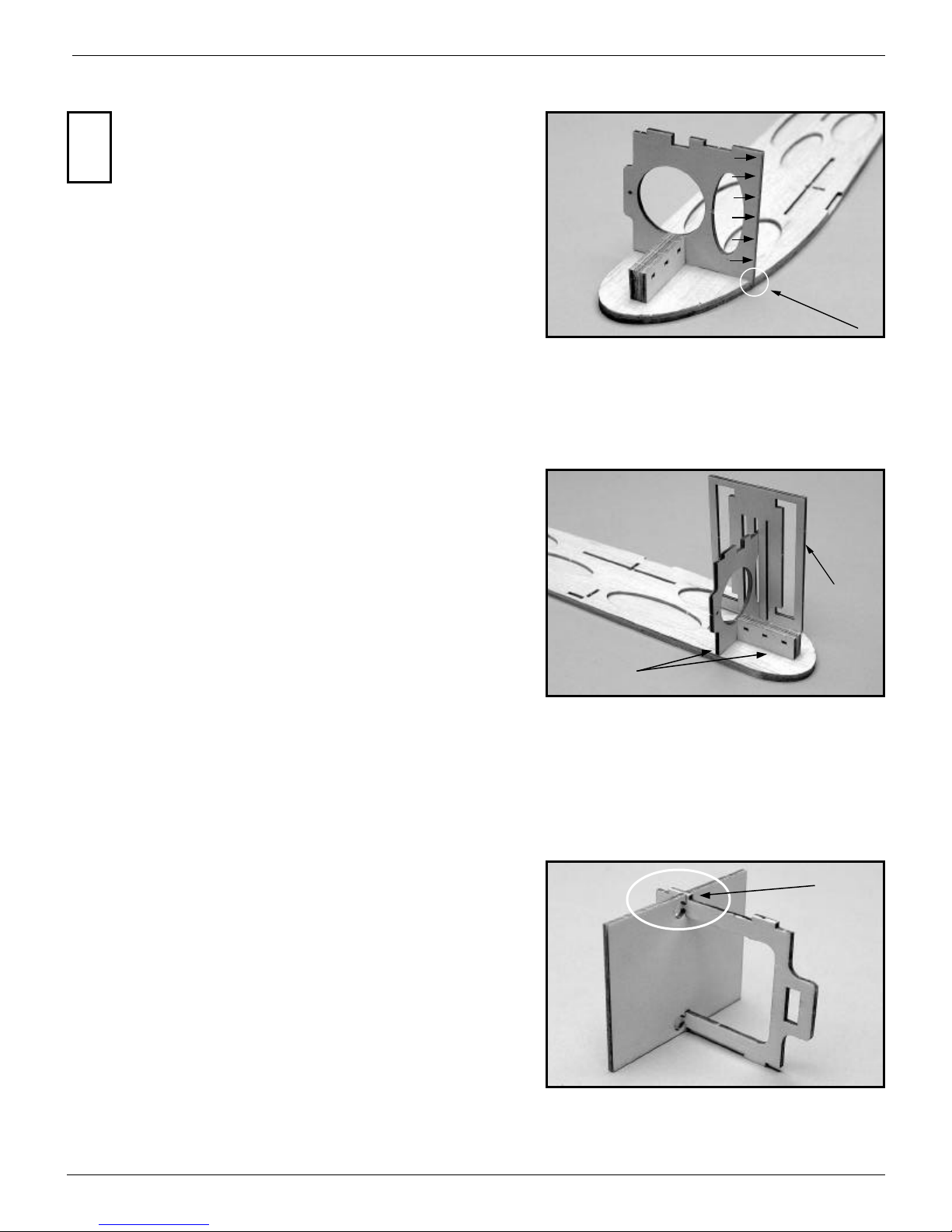
Aligning the fuselage doublers...
Now, for the fuselage doublers. Be careful, there’s a right and
a left! The left doubler has the cutout for the speed control’s
switch. To help you align the doubler with the fuselage side,
we’re included two “C” shaped plywood alignment fixtures.
First, use your eye and finger tips to align the two at the nose.
Then, slide on the front fixture from the nose and slide it rearward.
Then position the rear fixture and slide it forward. The fixtures will
only slide so far and then they will stop because the fuselage side and
doubler become larger in width than the cutout in the fixture. When
the fixtures can’t be slid any further towards one another, they will
have automatically put the doubler and fuselage side in perfect align-
ment with one another from top to bottom. The only thing you’ll have
to do is check to see that the two are still flush with one another at the
nose. If the two noses aren’t perfectly lined up with one another,
loosen the two fixtures, realign the two at their noses and then slide
the fixtures back on to realign the fuselage side and doubler from top
to bottom.
!
Chamfering the fuselage sides at the tail...
Before you start work on the doublers, you’ll have to chamfer
the rear inside edges of the fuselage sides so that when the fu-
selage sides are finally joined at the tail, the resulting fuselage
width will be 1/8”. To do this, you’ll only have to remove
1/32” of balsa in the last 1/2” of each fuselage side so that it ends up
being 1/16” thick. Make sure you’ve identified the right and left fu-
selage sides properly so that you’re sanding their inside edges and
not their outside edges!!! An easy way to make sure you don’t sand
past the 1/2” line is to lay a piece of masking tape along the line and
then sand up to the tape.
An easy way to know when you’re down to a thickness of 1/16”
is to use a scrap piece of 1/16” balsa as a feeler gauge. Keep compar-
ing the thickness of the aft edge of the fuselage with the 1/16” scrap.
When they are the same thickness, you’re done.
!
(See parts sheet #1)